Data Input
OptiWindNet creates electrical cable networks for problem instances that are passed to it. The problem instance must define:
positions (2D planar coordinates) of wind turbines and electrical substations
some properties of the available electrical cables
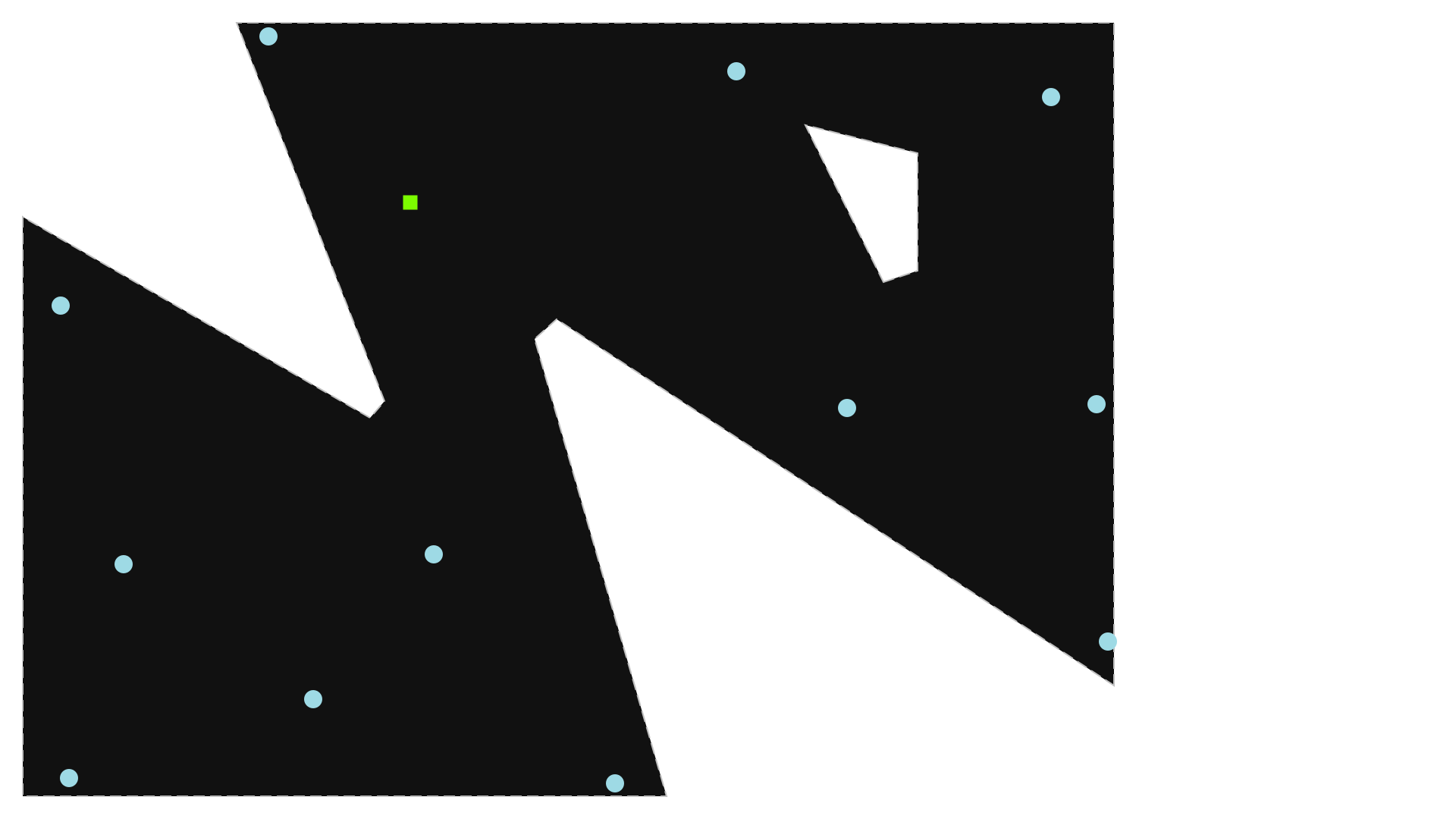
(optional) geometrical boundaries where cables are allowed: polygonal outer border, polygonal obstacles (exclusion zones)
A location describes the geometrical part of the data: positions and boundaries. This notebook focuses on the alternatives to provide location data, which present a much greater volume and complexity than the cable properties.
The problem instances are contained in instances of the WindFarmNetwork class. The geometric data can be initialized with:
coordinates (contained in Numpy arrays)
a location object
L(a NetworkX Graph instance)an windIO
.yamlfilea
.yamlfile (OptiWindNet’s schema)a
.osm.pbffile
Additionally, the cable properties must also be provided at intialization.
[1]:
cables = 4
[2]:
from optiwindnet.api import WindFarmNetwork
Provide coordinates
[3]:
import numpy as np
[4]:
# all coordinates are sequences of (x, y) pairs
# if input coordinates are in arrays X and Y, use `np.hstack((X, Y))`
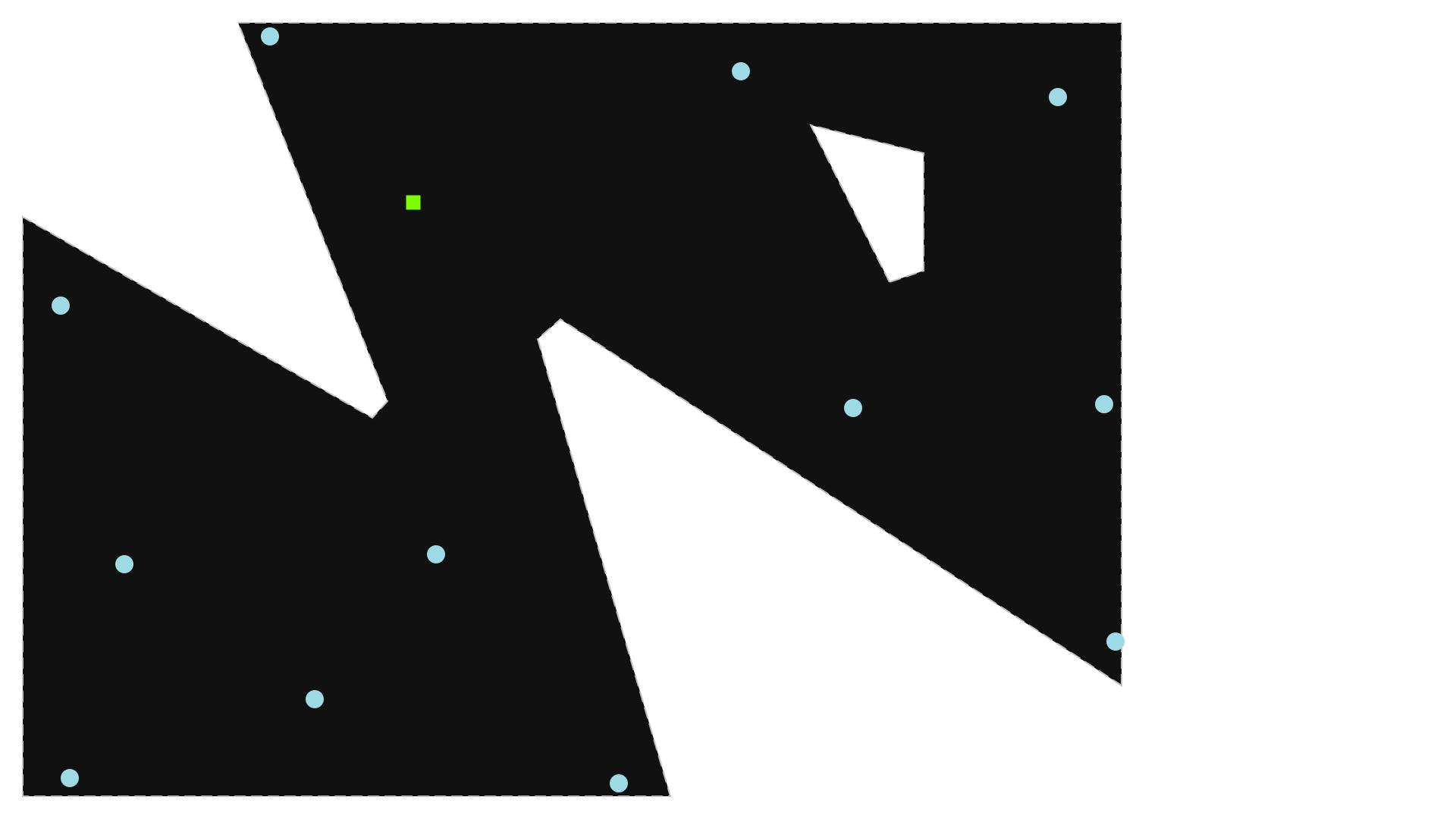
borderC = np.array( # coordinate sequence defines the polygon, last-first segment implicit
    [[1951, 200], [1951, 1383], [386, 1383], [650, 708], [624, 678],
     [4, 1036], [4, 3], [1152, 3], [917, 819], [957, 854]],
    dtype=float)
obstacleC_ = [
    # first obstacle
    np.array([[1540, 920], [1600, 940], [1600, 1150], [1400, 1200]]),
    # [second obstacle] ...
]
substationsC = np.array([[696, 1063],], dtype=float)
turbinesC = np.array(
    [[1940, 279], [1920, 703], [1475, 696], [1839, 1250],
     [1277, 1296], [442, 1359], [737, 435], [1060, 26],
     [522, 176], [87, 35], [184, 417], [71, 878]],
    dtype=float)
[5]:
wfn_coords = WindFarmNetwork(
    turbinesC=turbinesC,
    substationsC=substationsC,
    cables=cables,
    borderC=borderC,
    obstacleC_=obstacleC_,
)
Note: Many of the Jupyter notebooks provided include SVG figures as output. To ensure these visuals are displayed correctly in JupyterLab or Jupyter Notebook, make sure the notebook is marked as trusted. In JupyterLab, you can do this by pressing
Ctrl + Shift + Cand selecting Trust Notebook.
[6]:
wfn_coords
[6]:
Provide a location instance L
[7]:
from optiwindnet.api import load_repository
[8]:
locations = load_repository()
Note:
load_repository()loads locations from all.yaml(OptiWindNet) and.osm.pbffiles in the given directory. If no path is given, it loads the locations distributed with OptiWindNet. For more details, see Load repositories containing location data.
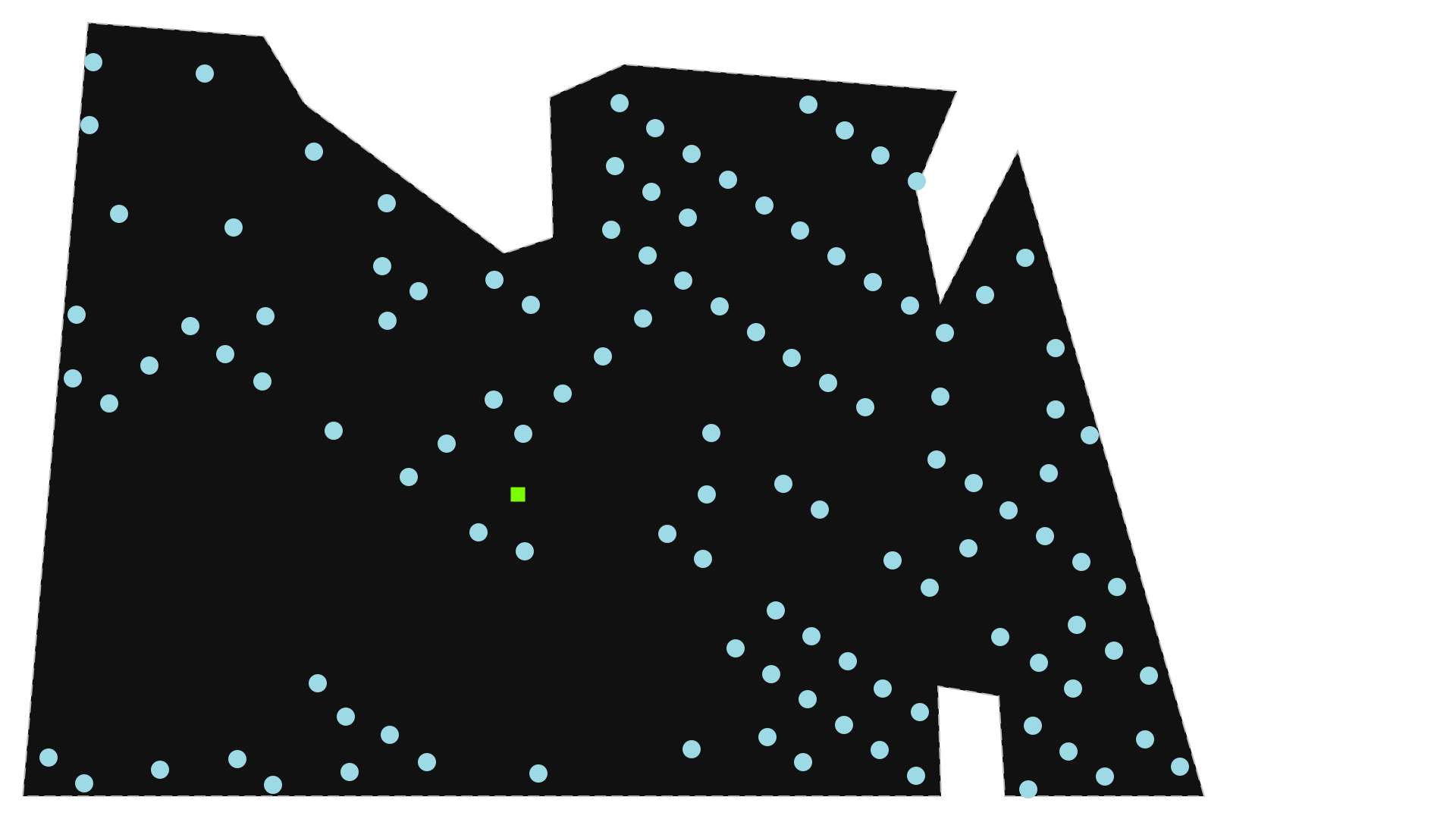
Initialize WindFarmNetwork() instance with the loaded L:
[9]:
wfn_L = WindFarmNetwork(
    L=locations.seagreen,
    cables=cables,
)
wfn_L
[9]:
Provide an windIO YAML file
windIO is a data format for inputs and outputs to wind energy system computational models. Historically, it has focused on systems engineering models, but it has been adopted in other topic areas of wind energy modeling, as well. The windIO data format is a community-focused effort to standardize the data format for wind energy system models.
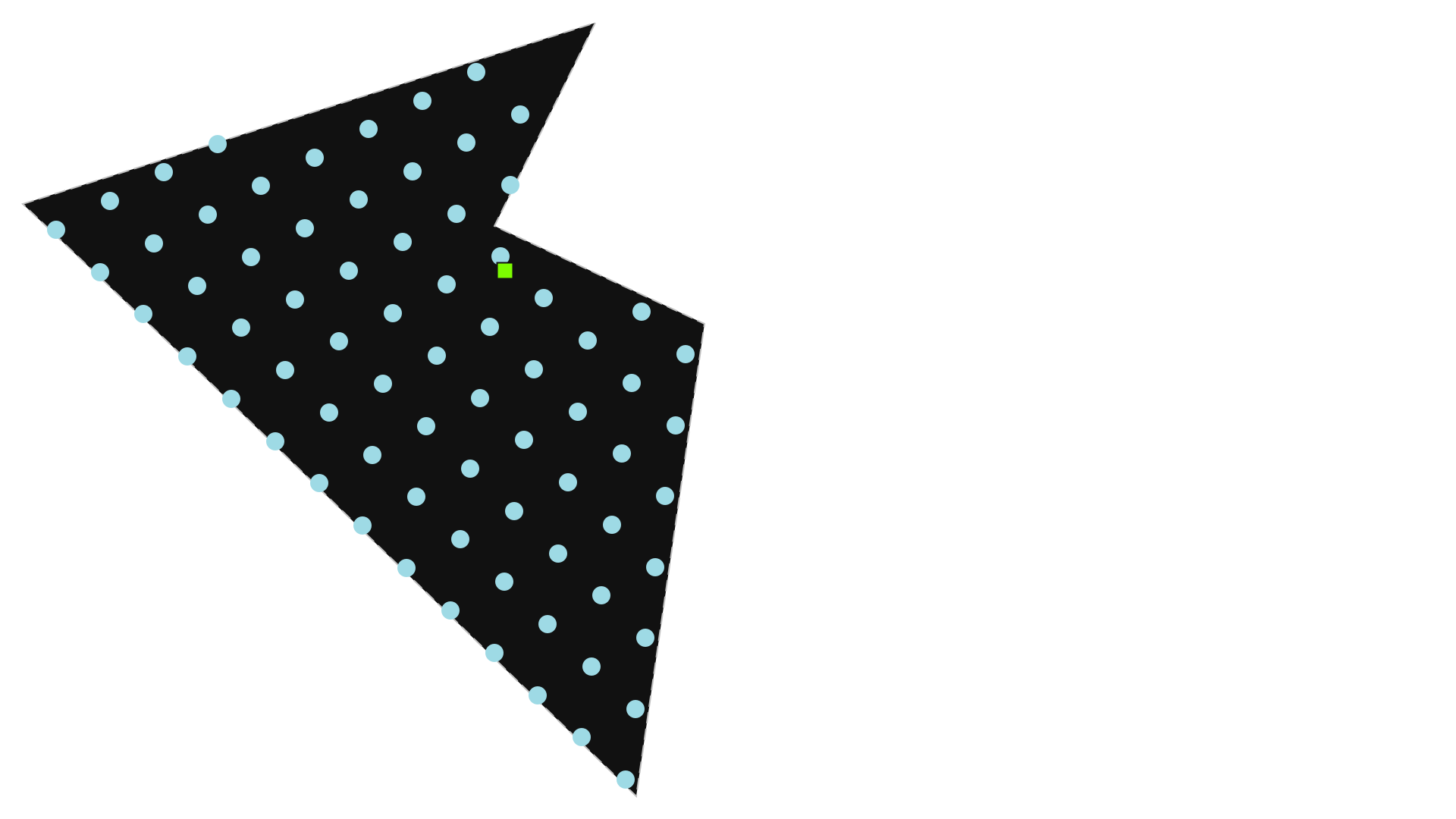
[10]:
wfn_windIO = WindFarmNetwork.from_windIO(
    filepath='data/IEA37_Borssele_Regular_System.yaml',
    cables=cables,
)
wfn_windIO
[10]:
Provide an OptiWindNet YAML file
This option loads the location geometry from a .yaml file, which is useful for working with saved or external project files in this format. A sample code snippet for generating .yaml files with the proper structure is provided below.
Several .yaml examples can be found in the folder optiwindnet/data. Look for them in Python’s site-packages or in OptiWindNet’s repository.
[11]:
with open('data/example_location.yaml', 'w') as yaml_file:
    yaml_file.write('''
# coordinate format can be "planar" or "latlon"
#   - for "latlon" examples, see `optiwindnet/data/*.yaml`
#   - this field is optional, default is "latlon"
#   - coordinates are converted to floats, so floats may be used as well
COORDINATE_FORMAT: planar

# extents define a polygon:
#   - do not repeat the initial vertex at the end
#   - line breaks are optional
EXTENTS: [
  [1951, 200],
  [1951, 1383],
  [386, 1383],
  [650, 708],
  [624, 678],
  [4, 1036],
  [4, 3],
  [1152, 3],
  [917, 819],
  [957, 854]
]

# obstacles is optional and must be a list of polygons (even if 1 obstacle)
OBSTACLES: [
  [  # first obstacle
    [1540, 920],
    [1600, 940],
    [1600, 1150],
    [1400, 1200],
  ],
  # [second obstacle]
]

SUBSTATIONS: [
  [696, 1063],
]

TURBINES: [
  [1940, 279],
  [1920, 703],
  [1475, 696],
  [1839, 1250],
  [1277, 1296],
  [442, 1359],
  [737, 435],
  [1060, 26],
  [522, 176],
  [87, 35],
  [184, 417],
  [71, 878],
]
''')
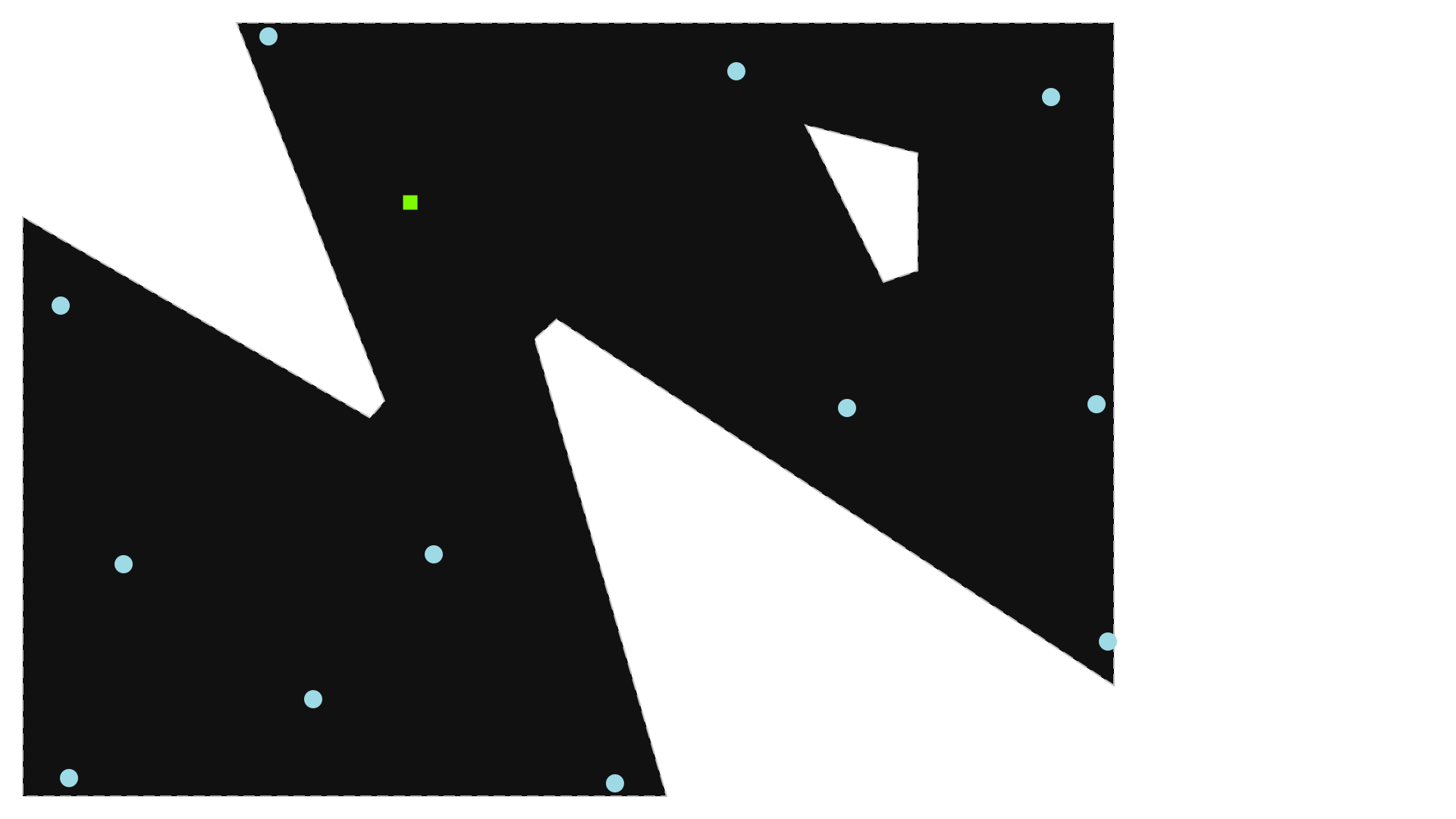
Initialize WindFarmNetwork() instance with an existing .yaml file:
[12]:
wfn_yaml = WindFarmNetwork.from_yaml(
    filepath='data/example_location.yaml',
    cables=cables,
)
wfn_yaml
[12]:
Provide an OSM.PBF file
osm.pbfstands for OpenStreetMap Protocolbuffer Binary Format (PBF).
This option loads the location geometry from a .osm.pbf file, which is useful for working with saved or external project files in this format.
Several .osm.pbf examples can be found in the folder optiwindnet/data. Look for them in Python’s site-packages or in OptiWindNet’s repository.
The JOSM open-source map editor is recommended if using this format: https://josm.openstreetmap.de/. In addition, the JOSM plugin pbf is required to save in the
.osm.pbfformat. The plugin opendata is useful for importing many common GIS file formats.The OpenStreetMap objects used for representing a wind farm location geometry are:
nodes
ways
multipolygons (relation between closed ways)
Wind turbines are represented by nodes with the tag
power=generator. Substations are represented either by nodes or by closed ways taggedpower=substationorpower=transformer. Substations based on ways will be reduced to the point at the centroid of the polygon defined by the way.The border of the wind farm can be a closed way tagged
power=plant. If obstacles are required, then the closed way for the border must be combined with the closed ways for the obstacles in a multipolygon with the tagpower=plant(in which case the ways themselves should not be tagged).See
optiwindnet/data/*.osm.pbffor more examples.
Initialize WindFarmNetwork() instance with an existing .osm.pbf file:
[13]:
wfn_pbf = WindFarmNetwork.from_pbf(
    filepath='data/example_location.osm.pbf',
    cables=cables,
)
wfn_pbf
[13]: